Wedding photo gallery
All your wedding photos, one link — from the photographer and from your guests
This gallery was sent to you by your photographer, or forwarded by the couple — either side can share the link or QR code onward. Here's how to get into it, what you can do once you're in, and what to do if you get stuck.
Planning your own wedding? See how the guest gallery works →← Back to svatebni-fotograf-cechy.cz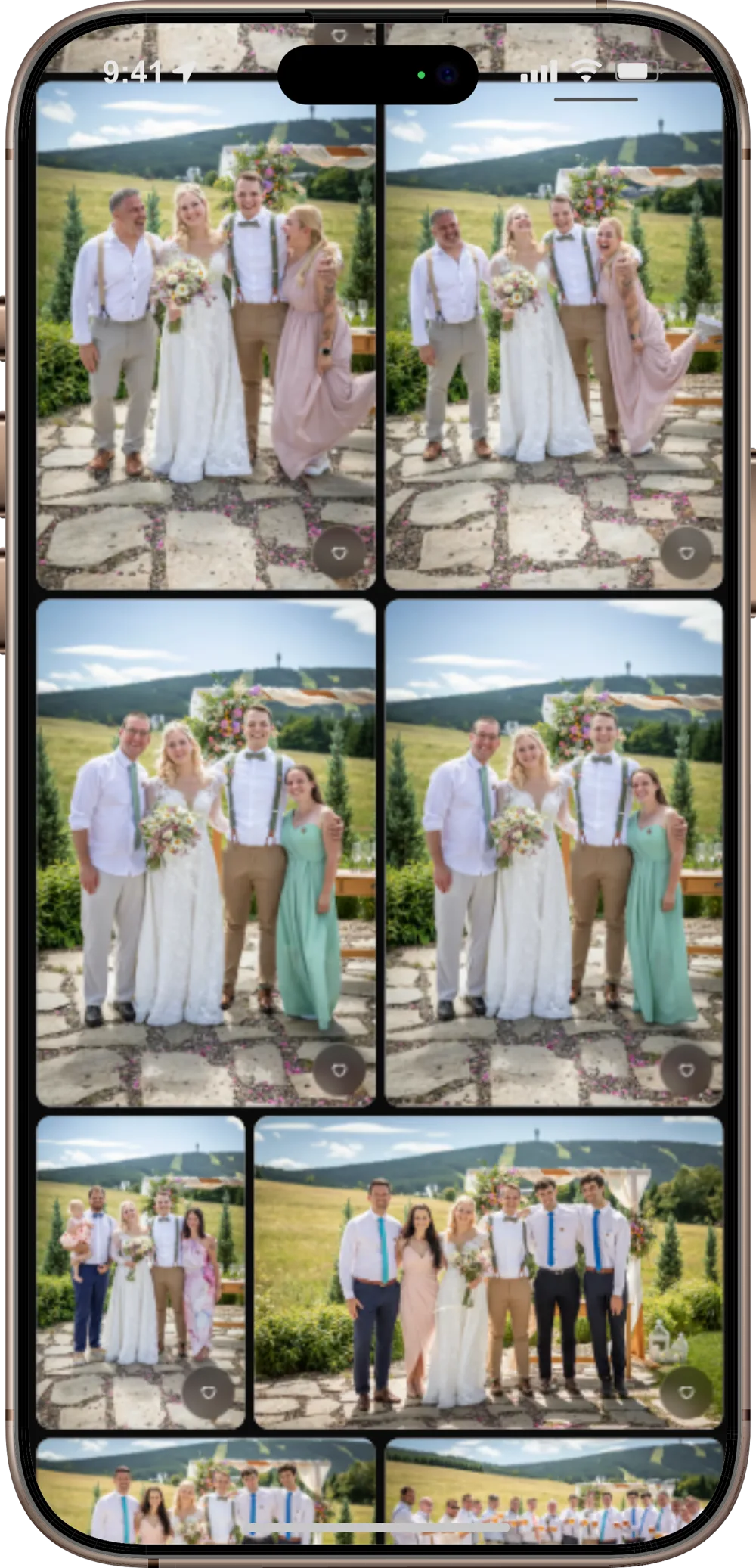
Two ways you might get a gallery
Gallery from the photographer
After the shoot, your photographer sends you a link to the finished, high-resolution photos. The gallery stays up long after the wedding, downloads in one click, and needs no account.
Bonus with the shoot: a gallery from guests
Included with the wedding photography package. Guests scan a QR code on the table and add their own wedding photos straight into a shared gallery — no app, no sign-up.
How it works
1. You get a link
From the photographer or the couple — by email, text, or on a printed card with a QR code. Sometimes there's a password too.
2. Open it in your browser
Nothing to install, no account needed — works on your phone or your computer.
3. Browse, download, add photos
Depending on what the photographer enabled for this gallery — see the full list of features below.
Two things guests use the most
Download every photo at once
One button, one ZIP with every photo in full resolution — no clicking through them one by one.
Live slideshow at the wedding
Guest photos appear on the screen within about half a minute of being uploaded — great for a slideshow running through the evening.
Quick answers
›Where do I get the QR code or gallery link?
Either from the photographer or straight from the couple — both can share the link or QR code onward, forwarded in a family chat or printed on a card at the photo table. If you don't have it, just ask one of them.
›I don't know the password — now what?
Only the photographer knows it — they're the only one who set it, and nobody else can reset or bypass it. Message them and ask for it again. Don't try guessing: after five wrong attempts, the link locks for 15 minutes for everyone who has it.
›The link doesn't work, or says it's expired.
A gallery never expires on its own — it stays available for good. A link only stops working if the photographer gives it a time limit or turns it off. Ask the photographer to reopen or extend it.
›Does it work without signal?
Once you've opened the gallery and turned on offline mode (the download icon in the top bar), you can browse photos without a connection — handy on a chalet with no signal.
›How do I download every photo at once?
The “Download all” button gets the whole gallery as one ZIP. It builds itself, usually within an hour of the last photo being uploaded — longer for bigger galleries. Until then, you can download photos one by one.
Tips and tricks for shooting as a guest
If the photographer or the couple enabled uploads on this gallery, anyone at the wedding can add their own photos, right alongside the photographer's.
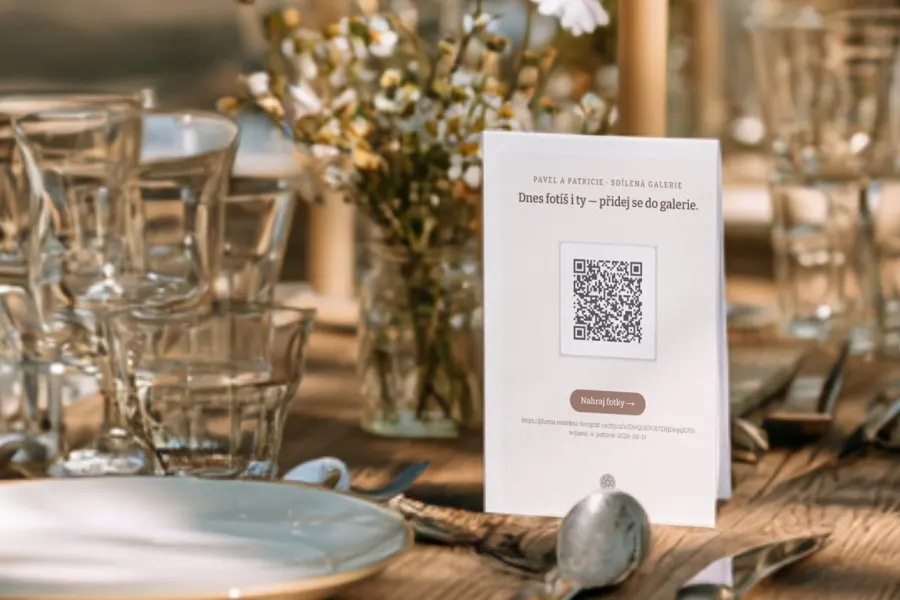
- Nothing to install. Just the link or QR code from the photographer or couple, the “Add photos” button, and your phone's regular file picker or camera.
- Feel free to lock your phone mid-upload — it keeps going in the background and picks up once you're back.
- Add your name if the gallery asks — it lets the couple see whose photo it is later.
- Uploaded something by mistake? Delete it yourself right in the gallery — no need to message anyone.
- iPhone photos work without any fuss — they're sent to the browser in a standard format automatically. The only exception: if Settings → Photos → Transfer to Mac or PC has “Keep Originals” turned on (most people don't have this), an upload can occasionally fail — switch it to “Automatic” and try again.
Everything the gallery can do
Ordered from what you'll use most, down to the extras for specific moments of the wedding.
- 1.One link, nothing to install — opens in any regular browser, on phone or computer.
- 2.A fast photo grid and full-screen viewing, smooth even on an older phone.
- 3.Download the whole gallery in one click (ZIP).
- 4.Favorites and reactions — mark the photos you like best.
- 5.Password and time limits — the photographer controls who gets in, and for how long.
- 6.Offline mode — once downloaded, photos stay viewable without signal.
- 7.Notifications when the photographer adds new photos.
- 8.Photos from guests — guests add their own wedding shots straight into the gallery, no app, no account.
- 9.Live slideshow — new guest photos appear on screen within about half a minute.
- 10.Multiple galleries under one growing link — a curated selection, the full set, and the guest gallery, all without sending out a new link.